.svg)
You can view and control all of ServerSync's settings from the Settings dialog.
Access the Settings dialog in the following ways:
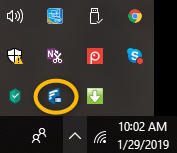
From the System Tray:
-
Right-click the ServerSync icon.
-
Select Settings.
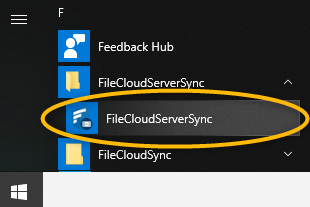
From the Windows Start Menu:
-
Click the Windows icon.
-
Scroll down to FileCloud.
-
Select FileCloud ServerSync.
In this section:
-
Home Screen Settings -
Activity Screen Settings -
Settings Screen Options -
Help Screen Settings -
Connect to a FileCloud Server in ServerSync -
Selecting Folders to Sync -
Reset ServerSync -
Control ServerSync Bandwidth Use -
Limit ServerSync to a Schedule -
Change ServerSync Frequency -
Disable ServerSync Notifications -
Manage ServerSync Remotely