.svg)
Security information and event management (SIEM) products and services provide analysis of security alerts generated by applications and network hardware.
FileCloud can integrate its system alerts and auditing with external SIEM systems, enabling you to monitor all alerts and potential security issues in one place.
Open the SIEM settings page
To go to the SIEM settings page
-
In the FileCloud admin portal's left navigation bar, scroll down and click Settings. Then, on the Settings navigation page, click Third Party Integrations

-
In the inner navigation bar on the left of the Third Party Integrations page, expand the Third Party Integrations menu, and click SIEM, as shown below.
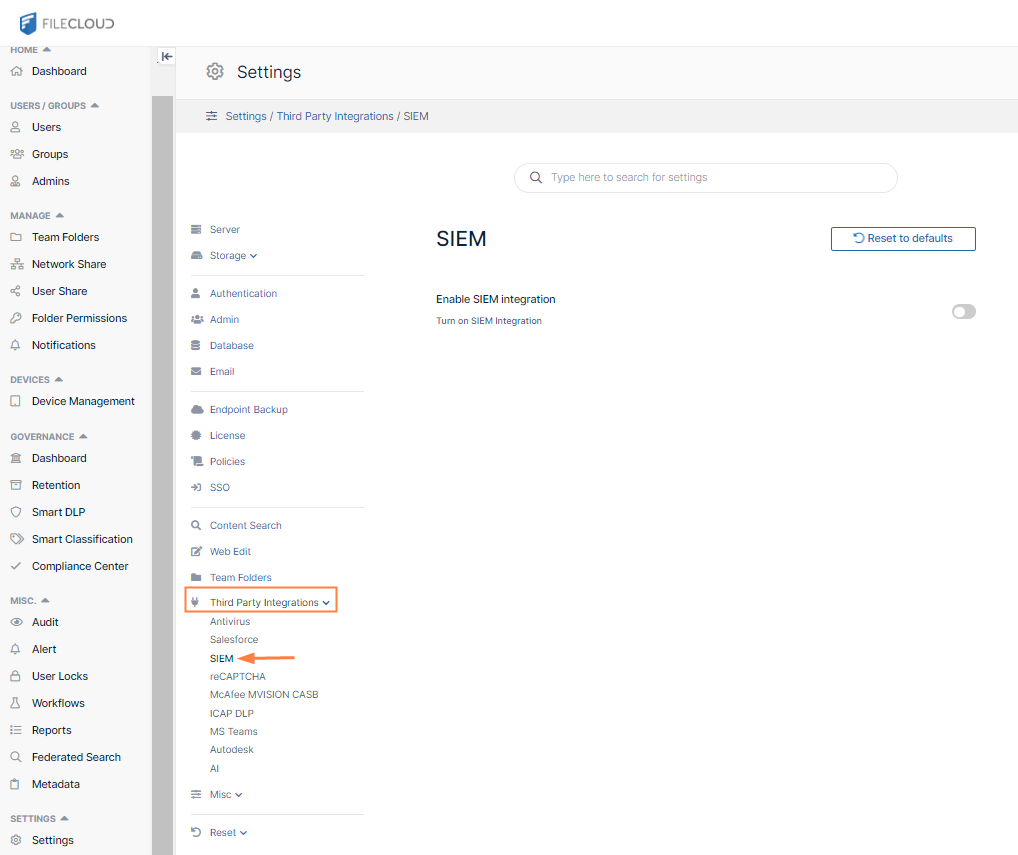
The SIEM settings page opens.
Set up SIEM
-
To activate SIEM integration, click the grayed out Enable SIEM integration button.
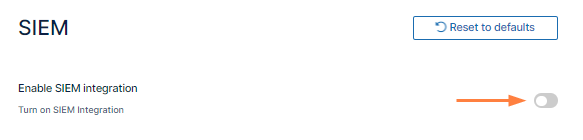
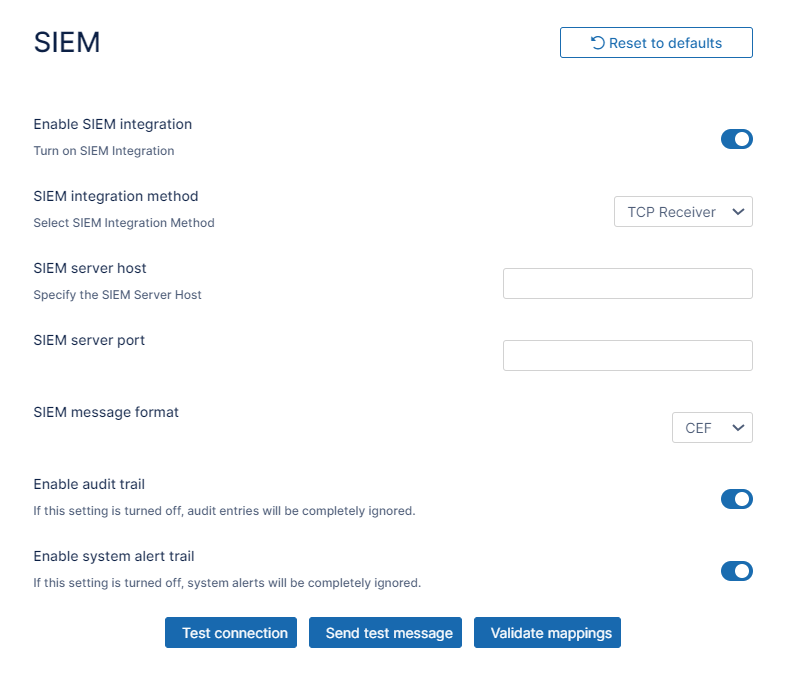
SIEM integration fields appear.
-
Modify the settings using the information in the following table.
|
Option |
Description |
|---|---|
|
SIEM inteSIEM Integration method |
Specifies the SIEM Integration method. Following options are available:
Note: SIEM software providers should specify supported integration methods in the SIEM documentation. |
|
SIEM server host (TCP and UDP integration only) |
URL or IP Address of the SIEM server. |
|
SIEM server port (TCP and UDP integration only) |
Port exposed by the SIEM Server for the given socket connection. |
|
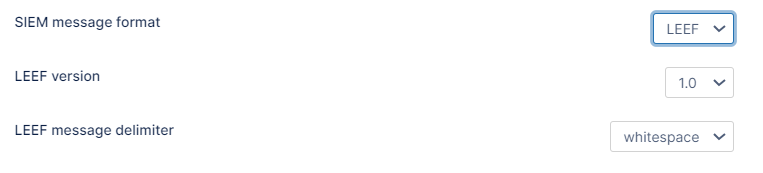
SIEM message format |
Specifies the SIEM Message format. The following formats are available:
NOTE: SIEM software provider should specify supported formats in the SIEM documentation. |
|
LEEF version (LEEF Format only) |
Specifies the version of the LEEF format message. Available versions:
|
|
LEEF message delimiter (LEEF Format only) |
The delimiter to be used for LEEF messages. The options are whitespace and tab. Choose the option that is compatible with the SIEM tool you are using. |
|
Enable audit trail |
Specifies whether Audit records should be processed and send to the SIEM Server. Please check the Managing SIEM mappings section for more details. |
|
Enable system alert trail |
Specifies whether System Alerts generated within FileCloud should be processed and send to the SIEM Server. Please check the Managing SIEM mappings section for more details. |
|
Test connection (TCP and UDP integration only) |
Tests connection to the server specified by the Host and Port. NOTE: All settings have to be saved first. Connection tests are based on the currently saved settings. |
|
Send test message |
Sends a test message in the given format (CEF/LEEF) to the SIEM server specified by the Host and Port or saves a test message to the Syslog. NOTE: All settings have to be saved first. Connection tests are based on the currently saved settings. |
|
Validate mappings |
Validates all defined mappings. Please check the Managing SIEM mappings section for more details. |