
Admin Audit Log Deletion
Admins can prohibit other admins from deleting audit logs.
If you need to you can remove entries from the log file manually or contact FileCloud Support to enable automatic archival and removal.
It is important to keep in mind that removing log entries from the Admin dashboard also removes them from the database. However, the database does not release the space but keeps it for new entries to be added in the future.
Some reports, such as reports on file actions and failed logins, get their data from the audit log. These reports only include events that are in the audit logs when you run the report. See Custom Reports for information about specific reports
How do you want to remove Audit log entries?
Manually delete entries
To manually remove audit log entries:
-
In the FileCloud admin portal's left navigation bar, scroll down and click Misc > Audit.
-
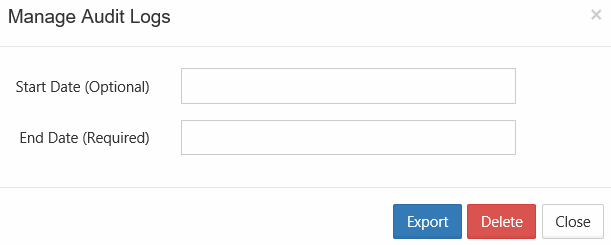
On the Audit Logs window, click Manage.
-
In Start Date, select a date or type in a date in the following format: YYYY-MM-DD. If you do not specify a start date, the deletion will occur for the very first log entry until specified End Date.
-
In End Date, select a date or type in a date in the following format: YYYY-MM-DD.
-
Click Delete.
-
On the Confirm dialog box, click OK.