.svg)
View errors from the Sync Activity screen
To view details about an error from the Sync Activity screen:
-
In the system tray, right-click the Sync icon and choose Open.
-
In the mini-dashboard, click Dashboard.
-
In the main dashboard, click Activity.
The Sync Activity screen opens. -
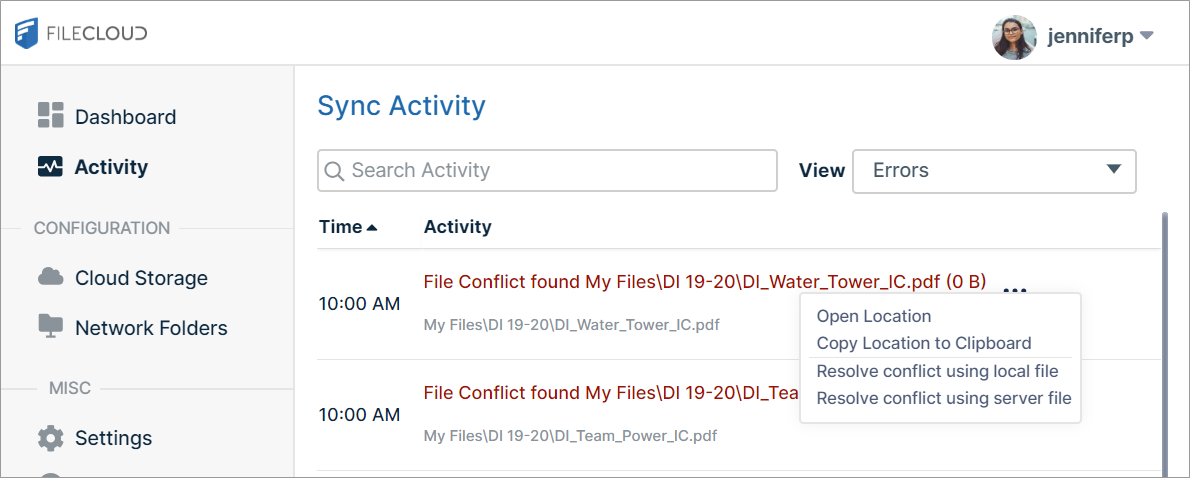
In the View drop-down list, choose Errors.
The screen lists activities that resulted in errors along with the location of the error. -
To access options for managing the conflict, click the three dots next to the error description.
-
To resolve file conflicts, see Managing Sync Conflicts.