To uninstall FileCloud Drive for Mac, first you have to quit the Drive app.
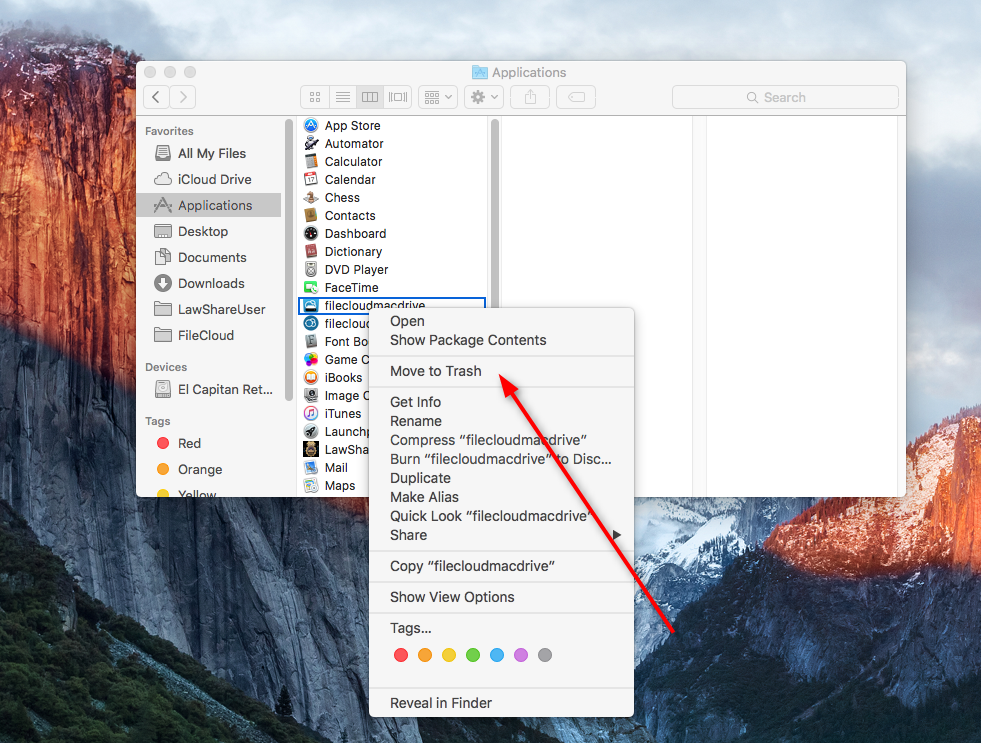
Then navigate to Applications, select Filecloud Drive for Mac and click Move to Trash.
To clear the data of FileCloud Drive for Mac, please Contact FileCloud Support.
.svg)
To uninstall FileCloud Drive for Mac, first you have to quit the Drive app.
Then navigate to Applications, select Filecloud Drive for Mac and click Move to Trash.
To clear the data of FileCloud Drive for Mac, please Contact FileCloud Support.